PowerPoint shows the quiz. Huzzah keeps the score.
A deck puts your questions on the TV, and that part works. The score stays on paper, kept by the teams or added up by you at the break. Huzzah keeps it on your laptop and puts the standings on the TV.

Side by side
| At the quiz | PowerPoint and paper | Huzzah |
|---|---|---|
| Questions on the TV | Yes, a slide each | Yes, a question each |
| The answer, off the TV until you reveal it | On the next slide, or behind an animation | Until you press Reveal answer |
| Your notes, on your screen only | Yes, in Presenter View | Yes, on the laptop beside the question |
| Pictures, music and video | Yes, on the slides | Yes, as a picture, music or video question |
| Where the teams answer | On paper | On paper |
| Marking and the tally | By hand: the teams keep their own tally, or you add up the sheets | Mark each table right or wrong and Huzzah adds up the points |
| The standings between rounds | A slide you type up at the break | On the TV when you press Standings |
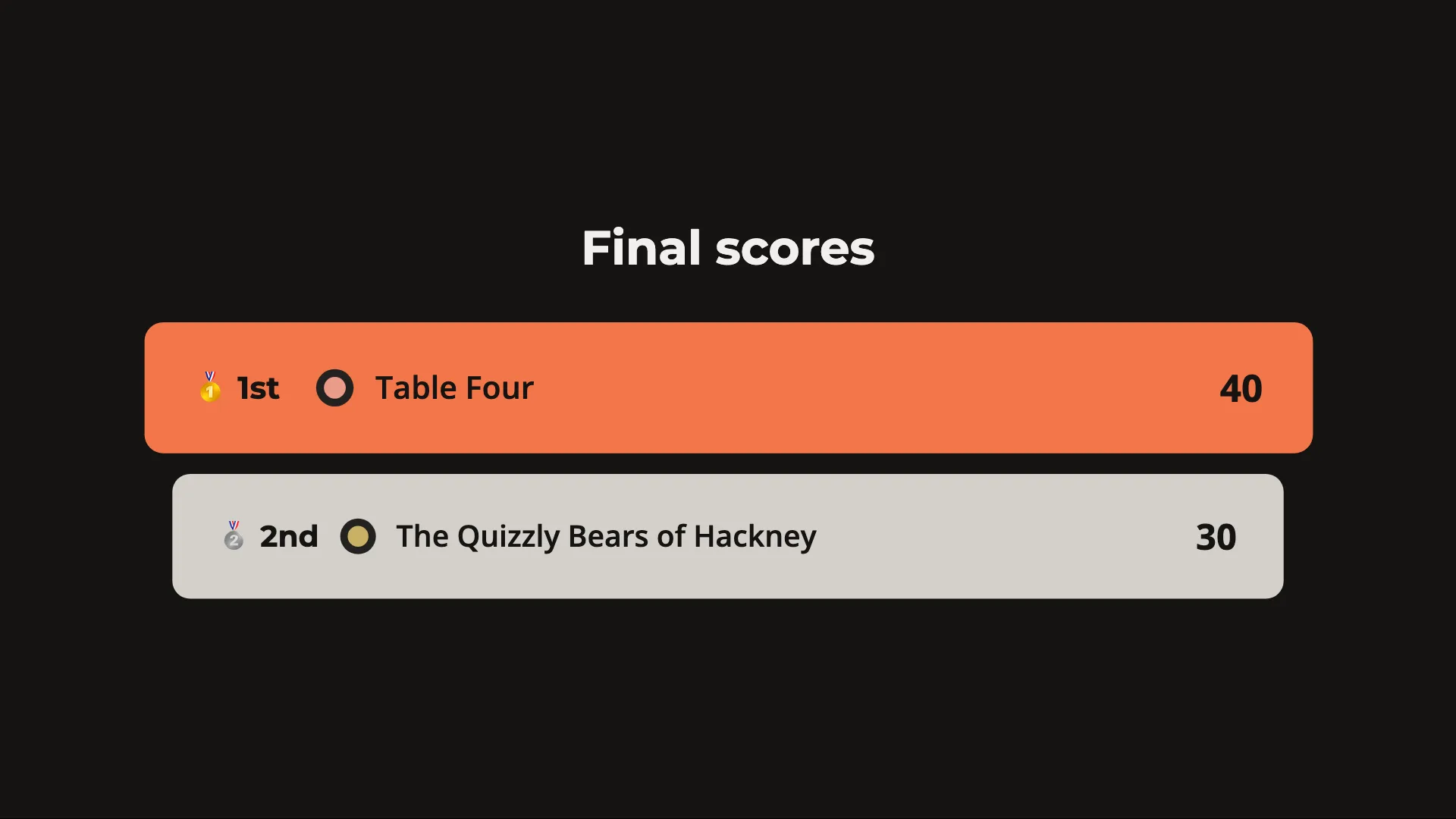
| The podium | A slide you make | On the TV when you press Final scores |
| What you need | PowerPoint, a laptop and a cable to the TV | A browser, a laptop and a cable to the TV |
| Without the internet | Runs | Runs once the quiz has loaded, while both windows stay open; a YouTube question needs the internet |
When PowerPoint is enough
A one-off night with a few teams who keep their own tally: keep the deck you have. The questions look the way you made them.
Scores in PowerPoint, three ways
Ask how to keep the score in PowerPoint and these are the answers you get.
- A standings slide, by hand Add up the sheets at the break and type the totals into a slide. The tally is still on paper.
- Macros in a .pptm file Buttons that add points as you click, in VBA you write or take from a template. They run in PowerPoint on a computer, not in PowerPoint for the web. Microsoft’s page
- A Microsoft Forms quiz Players answer on their own phones or laptops, and it needs a school or business Microsoft 365 account. Microsoft’s page
Where Huzzah keeps the score
The teams still write on paper. You mark each table on the laptop, and the rest follows on the TV.
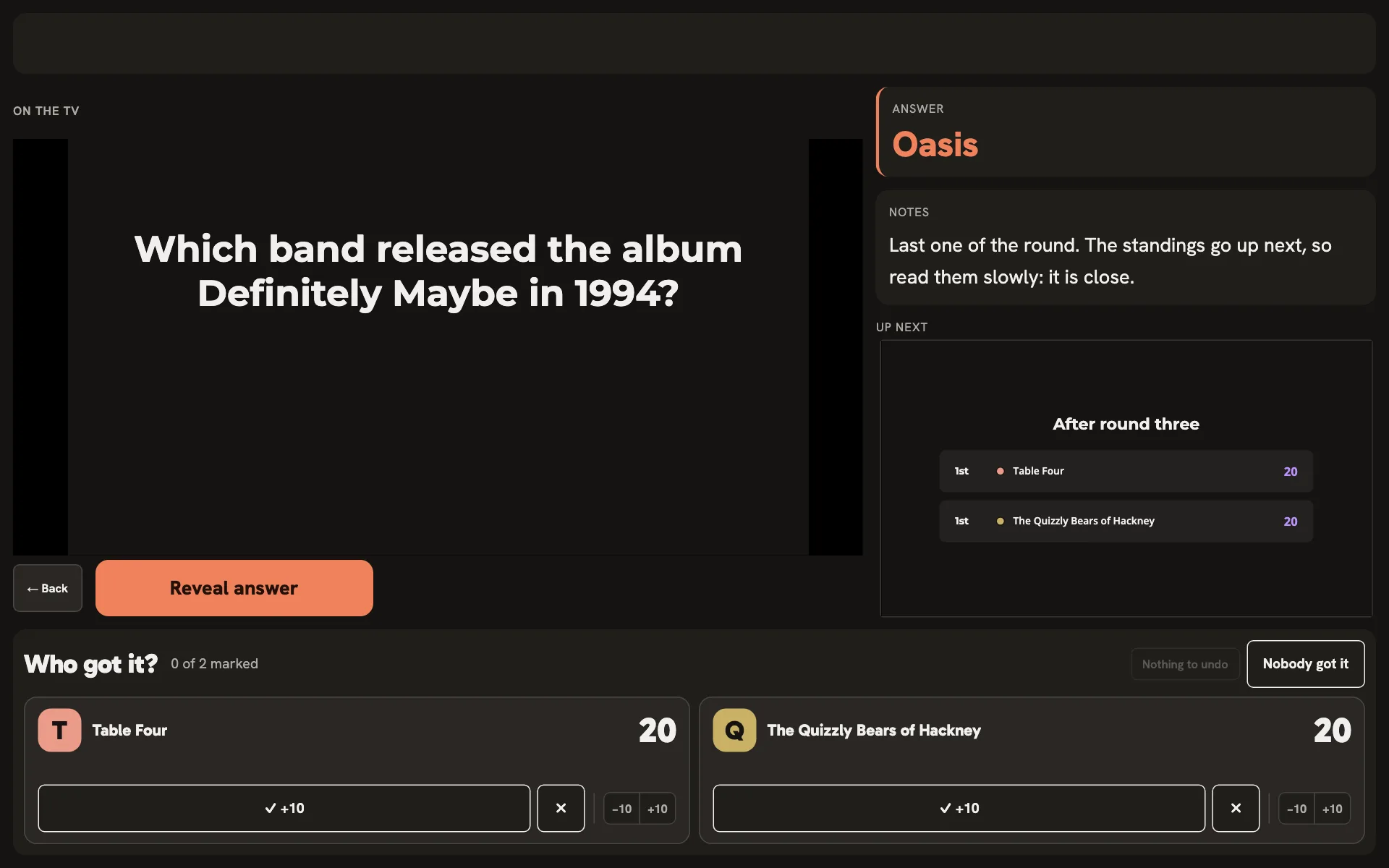
- A tile per team Mark each table right or wrong as you go through the sheets, and Huzzah adds up the points.
- The standings Press Standings between rounds and the TV shows the teams in order.
- The podium Press Final scores and the podium goes up, the winner on top. Nobody adds up at the bar.
What hosts ask
Do players need phones?
No. The questions go up on the TV and teams write their answers on paper, as with a deck.
Can I keep the questions from my slides?
Not by importing them: Huzzah does not read a PowerPoint file. You type or paste each question in once, and upload its picture or sound from your computer.
My teams keep their own tally. Why change?
You may not need to. Huzzah moves the marking to your laptop, a press per table per question, and in return the standings go up on the TV between rounds with no slide to type.
Does it need the internet?
To open the quiz, yes. Huzzah loads every picture and sound as you start; after that a dropped connection leaves the quiz running, and only a YouTube question needs the internet. Keep the TV window and yours open, since opening one again needs the network.
Sources
The PowerPoint column rests on Microsoft’s own pages, read on 22 October 2026.
Keep the score in Huzzah at your next quiz night.Your next quiz night.
Your account comes with a sample quiz to try before then.
Create a free accountOpen HuzzahOr host it now, on your own TV, with no account.Already hosting with Huzzah? Sign in